Turn Customer Feedback Into Marketing Insights
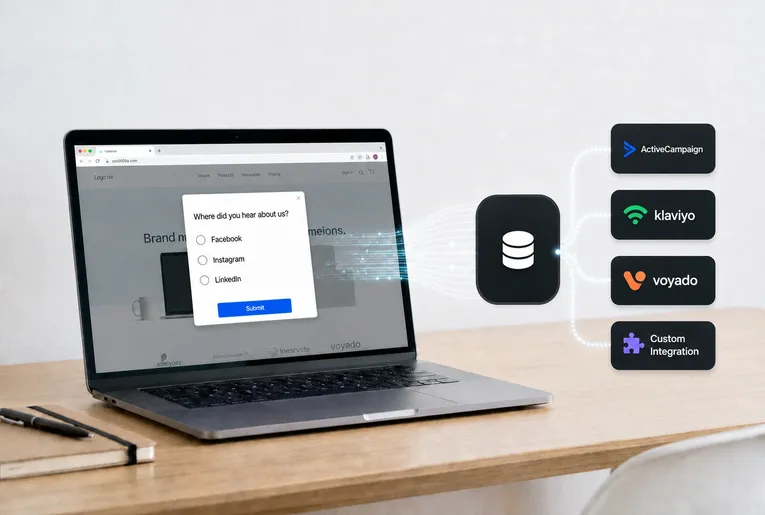
Use a Fluentos popup to collect quick feedback from buyers and uncover their thoughts.
Why Use a Customer Feedback Popup
A customer feedback popup gives you something most tools cannot: direct insight from the people who actually convert. Instead of piecing together attribution from different sources, you can understand how customers found you in their own words, often uncovering patterns that analytics alone miss.
It also helps you make more confident decisions. When you know which channels are truly influencing customers, you can adjust your strategy and focus on what drives results. Because the interaction is simple and well-timed, it feels like a natural part of the experience rather than an extra step.
What Makes Fluentos Effective
Fluentos is designed to make feedback collection simple without adding complexity. It uses lightweight popup campaigns that run efficiently in the background, allowing you to gather insights without slowing down your site or affecting the user experience.
It also follows a privacy-first approach by focusing on meaningful data instead of collecting more than necessary. The result is a system where feedback becomes part of your website’s natural flow, helping you stay informed without adding extra tools or overhead.
Watch How Fluentos Works
Fluentos customer feedback popup can appear after a purchase asking customers a short question such as:
“Where did you hear about us?”
Customers can select their answer from a dropdown or multiple-choice options, and their responses are instantly recorded for analysis.
How to Set Up the Customer Feedback Popup
1. Add your website
Before creating a customer feedback popup campaign, connect your website to Fluentos.
Follow these steps to add your website: Add New Website
Once your website is connected, you can begin creating campaigns for it.
2. Create your feedback campaign and choose a layout
Create a new campaign and select the layout for your popup. Fluentos provides two layout options.
Single-column layout
- A simple vertical layout ideal for feedback questions and quick responses
- Keeps the popup clean and easy to interact with
Double-column layout
- Splits the popup into two sections
- Allows you to combine text, visuals, or interactive elements
For most customer feedback popup campaigns, the single-column layout works best because it keeps the question clear and easy to answer.
You can also use a pre-built template to speed up the setup process.
Read more how to Add New Campaign
3. Choose when the feedback popup appears
Fluentos allows you to control when your campaign appears using triggers.
Where to find it in Fluentos
Inside a campaign Publish -> Display Rules. Read more about Display Rules.
4. Optimize the campaign for mobile and desktop
Inside the campaign editor → Device toggle at the top
Fluentos allows you to customize how the campaign appears on different devices. Read more about Device Customization.
5. Connect your campaign to marketing tools
Feedback responses can be automatically sent to marketing tools through integrations.
Where to find it in Fluentos
Inside campaign -> Publish tab -> Integrations. Read more how to use Campaign Integrations.
6. Publish your feedback campaign
Once your campaign is ready, you can publish it to your website.
Where to find it in Fluentos
Inside campaign -> Publish tab. Read more how to Save and Publish.
7. Store responses in ActiveCampaign or any other integration
Fluentos allows you to store feedback responses automatically in ActiveCampaign or any other integration.
Where to find it in Fluentos
Left menu -> Integrations -> Add New Integration. Read more how to setup ActiveCampaign.
Common Questions
What is the purpose of a customer feedback popup?
A customer feedback popup allows marketers to collect direct insights from visitors or customers, helping them understand behavior and improve marketing performance.
When should the customer feedback popup appear?
It is most effective when displayed after a purchase or when a visitor is about to leave the website.
Can feedback responses be stored automatically?
Yes. Fluentos integrations allow responses from your customer feedback popup to be sent to tools such as Google Sheets, CRM systems, or email platforms.
Can the popup appear only on specific pages?
Yes. Using URL targeting, customer feedback popup campaigns can be displayed only on selected pages such as the thank-you page.